
Once authenticated, the account dashboard gives access to casino games, live tables, sport, GBP cashier, promotions and profile verification. A separate app is not required, and credentials should only be entered after checking the Fat Pirate address.
Fat Pirate welcome package350% up to £13,600 + 350 free spins · 18+ · Terms apply
Play at Fat PirateFat Pirate login facts
The account route is deliberately compact, but KYC and password recovery are separate processes.
| Access item | Fat Pirate process |
|---|---|
| Standard sign-in | Registered email and case-sensitive password |
| Recovery | Email reset link from the login window |
| Desktop | Browser sign-in overlay |
| Mobile | Responsive browser account |
| KYC | Requested for withdrawal or an account review |
| Support | 24/7 live chat and email |
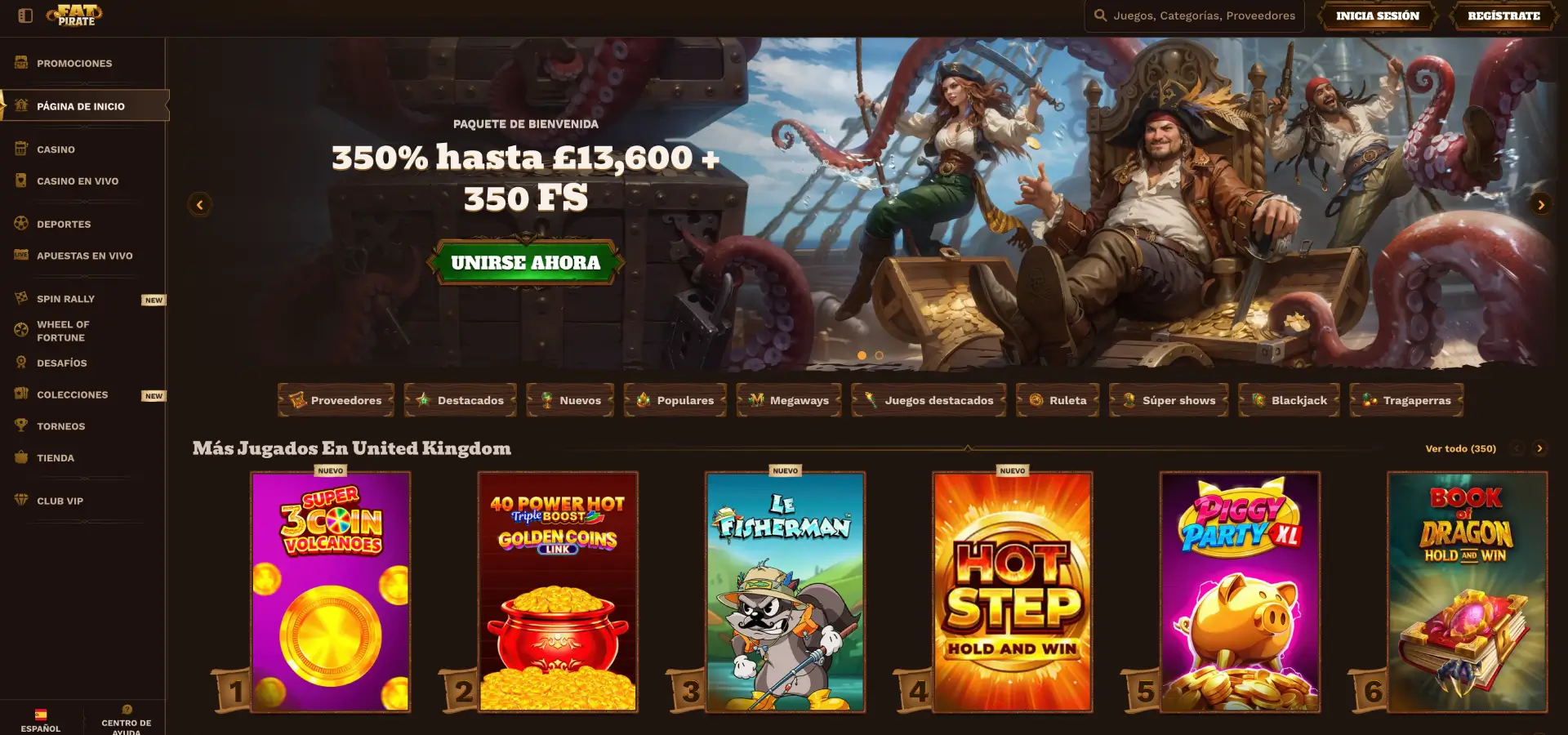
Signing in on a desktop browser
The login control opens a modal over the homepage rather than taking the customer through registration again.
- Open the recognised Fat Pirate address in an updated browser.
- Select the sign-in control in the top-right area.
- Enter the exact email used to create the account.
- Type the password with the correct upper- and lower-case letters.
- Use the visibility icon briefly if the spelling needs checking.
- Submit the form and wait for the dashboard to load.
After entry, confirm that the GBP balance, recent transactions and active offers belong to the expected profile. An unknown payment or changed personal detail should be treated as a security issue.
Mobile login on iPhone and Android
Safari, Chrome and other current mobile browsers use the same two-field form. The responsive window fits a phone screen and leads to the complete account rather than a reduced mobile profile.
A saved home-screen shortcut can speed up access, but it remains a browser link. Unknown APK files are unnecessary. Before using a shortcut, confirm that it opens the correct domain and not a copied sign-in page.
Public Wi-Fi is unsuitable for passwords, cashier use and document upload. A private connection and a device protected by a screen lock reduce avoidable exposure.
Resetting a forgotten password
The recovery link sits beneath the password field and sends instructions to the address recorded on the account.
- Open the login window and choose the forgotten-password route.
- Enter the registered email address.
- Check the inbox and spam or junk folder.
- Open only the newest valid reset message.
- Create a password not used on another service.
- Return to Fat Pirate and sign in with the replacement.
Requesting several links can invalidate the earlier messages. If nothing arrives, check the email spelling before contacting support. The reset message should never request a payment or complete card details.
Email verification and inactive accounts
A new profile may remain inactive until its email address has been confirmed. Search the mailbox for the original verification message and check filtered folders. A second registration is not the correct fix for a missing email.
If the verification link has expired, 24/7 support can advise how to request another. The Fat Pirate registration guide covers account creation in one dedicated walkthrough.
Common access problems and fixes
Changing one variable at a time makes the cause easier to identify.
| Problem | First response |
|---|---|
| Email not recognised | Compare it with the registration or verification message |
| Password rejected | Check Caps Lock, then use recovery |
| Account inactive | Complete email verification |
| Temporary lockout | Stop repeated attempts and wait before recovery |
| Login modal does not load | Clear site-specific browser data or try a private window |
| Mobile page loops | Switch network or browser and allow necessary cookies |
| Account restricted | Ask live chat for the reason and a case reference |
Browser cookies and session problems
Cookies keep the authenticated session connected to page requests. Blocking all cookies or clearing them during navigation can return the account to the sign-in window. Allowing only the necessary site data is more controlled than disabling browser protection entirely.
A private window is a useful diagnostic check. If login works there, saved site data or an extension is probably involved. Clear data for Fat Pirate rather than wiping unrelated browser history, then retry once.
KYC is different from everyday login
Basic access does not depend on completing identity verification first. KYC can be triggered when a withdrawal is requested or an account review takes place. Preparing clear documents in advance can keep that check separate from the payout request.
| KYC category | Accepted examples | Quality check |
|---|---|---|
| Identity | Passport, national identity card or driving licence | Photo and details readable |
| Address | Utility bill, bank statement or government letter | Dated within the previous three months |
| Payment ownership | Protected card image, wallet or crypto account evidence | Name matches the casino profile |
For a card image, middle digits should be obscured as requested. Passwords, the complete security code and crypto recovery words are never identity documents. The withdrawal guide explains how verification fits into cashout.
Account security after successful access
A strong sign-in routine covers the casino account and the mailbox used for recovery.
- Use a unique password rather than a recycled phrase.
- Check the domain before typing credentials.
- Log out on shared or borrowed devices.
- Do not save a password in a public browser profile.
- Review the cashier history for unfamiliar activity.
- Report a suspected takeover to live chat immediately.
Promotional partners do not need the account password. Any code page requesting credentials outside the recognised sign-in route should be closed.
Password storage on personal devices
A trusted password manager can create and retain a long unique credential without reusing it elsewhere. The manager itself needs a strong master password and should only be opened on a protected device.
Browser autofill deserves a quick domain check before it inserts anything. If saved credentials appear on an unfamiliar address, close the page rather than submitting the form. On a shared computer, neither browser storage nor an automatically restored session is appropriate.
What to check after logging in
The profile should show GBP as the working currency. Review the active welcome package, bonus balance, transaction history and KYC status before using the cashier. This is particularly useful after a password reset or long period without access.
A customer expecting a promotion can use the bonus guide to identify the correct product. Depositing again is not a fix for an account displaying the wrong offer.
Handling a locked or compromised account
Repeated login attempts should stop once a temporary lock is suspected. Use recovery or contact support rather than creating another profile. Record the displayed message, device, browser and approximate time.
If access may have been stolen, secure the associated email first, then change the casino password through a trusted device. Ask support to review account changes and recent transactions. A clear case reference helps keep later messages together.
Responsible account access
Recovering a password is not a reason to end a planned gambling break. Fat Pirate is not licensed by the UK Gambling Commission and does not participate in GamStop. Anyone already self-excluded should not use the account to avoid that protection.
Confidential guidance and support are available through BeGambleAware.
Fat Pirate Casino login FAQ
The answers cover sign-in, recovery, mobile access and identity checks.
What details are needed to log in?
The standard form requires the email used at registration and its case-sensitive password.
How is a forgotten password replaced?
Use the recovery link in the login modal and follow the email instructions.
Can Fat Pirate be accessed on a phone?
Yes. The full account runs in mobile browsers on iOS and Android without an app download.
Is KYC required for basic login?
No. Verification is separate and can be requested for a withdrawal or account review.
Why is the sign-in window not loading?
Site data, cookie settings or a browser extension may be responsible; a private window helps isolate the cause.
Who helps with a restricted account?
Live chat and email support operate around the clock and can open a traceable case.